
Unboxing a brand new mini PC only to find a blank screen and a demand for a product key is one of the most common shopping surprises in tech right now. It happens more often than people expect and it usually comes down to not knowing what you were actually buying. So do mini computers come with Windows 11 and other software, or are you left to install everything yourself? Understanding how software applications are packaged with new computers helps buyers avoid unexpected setup costs.
The honest answer has as it depends entirely on which type of mini PC lands in your cart. Some are genuinely plug and play while others hand you a bare chassis and expect you to finish the job. Knowing the difference before you buy saves you money, time and a fair amount of frustration.
The Two Types of Mini PCs You’ll Run Into
Every mini PC on the market falls into one of two camps and this single distinction decides almost everything else about your buying experience.
Complete systems ship fully built. The RAM is installed, the SSD is in place and Windows 11 is already loaded and activated. You plug in a monitor power it on and you’ve working within minutes.
Barebones kits give you just the shell, motherboard and processor. You supply your own memory, storage and operating system license which means extra cost and a bit of technical know how before the machine does anything useful.
Do Mini Computers Come With Windows 11 and Other Software by Default?
Most mini PCs sold today as ready to use models do arrive with Windows 11 pre-installed and already activated along with basic drivers and sometimes a handful of manufacturer utilities. Many of these systems also include the latest Windows 11 security improvements introduced through recent updates. This is now standard practice among major brands rather than a premium add on.
That said, “other software” rarely extends much beyond driver packages, a system health app or a trial of security software. Productivity tool like Microsoft Office, Adobe products or creative suites almost never come bundled and need to be purchased or subscribed to separately.
If a listing says “barebones,” “DIY kit” or doesn’t mention an operating system anywhere in the specs and assume nothing has included. When in doubt check the reviews section — buyers are usually quick to mention if a machine arrived without an OS.
Windows 11 Home vs. Windows 11 Pro
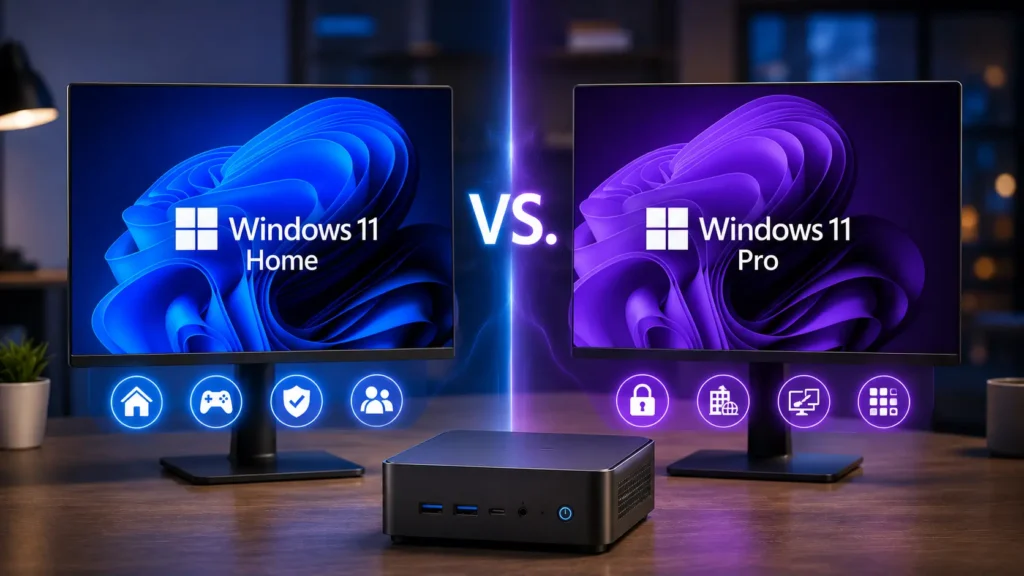
Not every pre-installed Windows license is the same edition,= and the difference actually matters depending on how you plan to use the machine.
| Feature | Windows 11 Home | Windows 11 Pro |
| Typical price tier | Budget to mid-range mini PCs | Business and premium models |
| BitLocker encryption | Not included | Included |
| Remote Desktop hosting | Client only | Full host support |
| Hyper-V virtualization | Not available | Available |
| Best suited for | Everyday browsing, streaming, office work | evelopers, IT admins, business users |
For most households, Home edition covers everything needed. Pro earns its keep if you’re running virtual machines, need remote access into the machine,= or work in an environment with domain and group policy requirements. Advanced users who install custom hardware or older peripherals may also need to disable DSE Windows 11 when working with unsigned drivers.
Checking Before You Buy
A little detective work before checkout prevents almost every bad surprise. Here’s what actually works:
- Read the specifications tab closely, not just the product title — some listings bury “no OS included” in fine print
- Search the listing page for words like “kit,” “barebones” or “DIY” which almost always signal you can need to add your own software
- Scan the Q&A and review sections, since buyers routinely confirm whether the box included an activated Windows license
- Message the seller directly if anything is unclear; a seller who won’t answer plainly is a red flag on its own
- Compare the RAM and storage listed — a unit with pre-installed memory and an SSD almost always ships with an OS too
What to Do if Your Mini PC Arrives Without an OS
If you end up with a barebones unit then you still have several legitimate paths forward. A retail Windows 11 license from Microsoft costs more but comes with full support and can move to another machine later if needed. Reused licenses from an old retail purchased Windows copy can often be reactivated on new hardware though OEM keys tied to a dead computer typically cannot transfer.
Running Windows unactivated is also technically possible — it functions normally aside from a watermark and locked personalization settings. For anyone comfortable outside the Windows ecosystem, Linux distributions such as Ubuntu or Linux Mint. It is installed for free and handle browsing, office work and even light development without any licensing cost at all.
Is It Cheaper to Buy Barebones and Build It Yourself?
On paper barebones kits look like the budget option. But the math rarely works out that way once you add memory an SSD and a legitimate Windows license. By the time all three are purchased separately, the total often lands close to what a complete system costs outright — minus the manufacturer warranty covering the whole build.
Barebones only makes real financial sense if you already own spare RAM or an SSD from a previous upgrade or if you’re planning to install Linux and skip Windows licensing entirely. Otherwise, the time spent researching compatible parts and installing an OS rarely pays for itself in savings.
Software Beyond the Operating System
Once Windows is confirmed and running, the next question is what else you’ll need to install yourself. Most complete mini PCs stop at drivers and a basic system utility app, leaving productivity and creative software entirely up to the buyer. Businesses purchasing multiple mini PCs should also evaluate the enterprise software they plan to deploy across those devices.
Budget accordingly for a Microsoft 365 subscription if you need Word and Excel and check whether your intended software — video editors, CAD tools, or games — actually runs well on the processor and graphics hardware included. A mini PC built for browsing and email will struggle with anything demanding, regardless of which software you load onto it.
Final Thoughts
So do mini computers come with Windows 11 and other software? In most cases involving a complete, ready to use system, yes. Windows 11 arrives pre-installed and activated, though extra productivity software is almost always left for you to add. Barebones kits flip that entirely, leaving both the operating system and any additional programs entirely in your hands. Checking the listing carefully before you buy is the single easiest way to avoid an unpleasant surprise on delivery day.
FAQs
What are 5 examples of mini computers?
Reddit threads on this topic generally agree that complete mini PCs from known brands almost always ship with Windows 11 pre-activated while barebones kits don’t. Users often warn that “other software” rarely goes beyond drivers and that anyone expecting Office or creative apps included should check listings carefully before buying.
What do people use mini computers for?
Most mini PCs sold as complete ready to use systems come with Windows pre-installed and already activated. Barebones or DIY kits have the exception. They include only the hardware chassis leaving you to purchase and install an operating system yourself.
What do you call a mini PC?
Look for a listing are clearly states Windows 11 Home or Pro has included and activated along with at least 8GB of RAM, SSD storage and USB 3.2 ports. Confirm the edition matches your needs. Since Pro adds features like BitLocker and Hyper-V are Home lacks.
What are the main functions of minicomputers?
most Beelink models including the SER5 and SER9 series ship with Windows 11 Home or Pro pre_installed and activated out of the box. As with any brand it has worth double checking the specific listing. Since Beelink also sells some barebones configurations without an OS included.