
Invoice piles, missing purchase orders and a filing cabinet that never seems to shrink. If any of that sounds familiar your AP process has overdue for a change. Accounts payable paperless software replaces manual invoice handling with a digital workflows that captures, matches and approves invoices automatically. Cutting processing time from days down to hours.
Finance teams that make the switch usually notice the difference within the first month, faster approvals, fewer duplicate payments and a much clearer picture of cash flow. This guide breaks down exactly how these systems works. What to look for and how to rolls one out without disrupting your current operations.
What Paperless AP Software Actually Does
At its core this type of software takes the manual steps out of receiving, matching and paying invoice. It uses optical characters recognition to pull data straight off an invoice. Whether that invoice arrive as a scanned PDF. An emailed attachment or an electronic data feed from a vendor.
Once the data is captured. The system checks it against purchase orders and receipts. Flags anything that doesn’t line up and routes clean invoices straight to the right approver. Nobody has to manually type in invoice numbers or chase down a manager for a signature.
Why Manual AP Processes Break Down at Scale
Paper based accounts payable works fine when a company processes a handful of invoices a month. Past that point cracks start showing.
Manual data entry introduces errors that compound over times, duplicate payments, mistyped amounts, invoices applied to the wrong vendor. Searching for a single document during an audits can eat up half a day. When records are scattered across email threads, shared drives and physical folders.
There’s also a real cost tied to delay. Slow approvals mean missed early payment discounts and frustrated vendors. Who start chasing payment status instead of trusting the process.
Core Features to Look for in Accounts Payable Paperless Software
Not every AP platform offers the same depth of automation. So it helps to know what separates a genuinely useful system from a glorified document scanner.
- Automated invoice capture using OCR that reads both structured and unstructured invoice formats
- Two-way and three way matching against purchase orders and receipts
- Configurable approval workflows based on amount, department or vendor
- Mobile and email based approvals so managers aren’t stuck waiting to log in
- Direct integration with your existing accounting or ERP system
- An audit trail that logs every approval, timestamp and change automatically
A platforms missing even one or two of these tends to create new bottlenecks instead of removing old ones.
Two Way vs. Three Way Matching
Two way matching compares an invoice against its purchase order, which works well for services and recurring subscription style billing where there’s no physical delivery to confirm.
Three way matching adds a receipt into the comparison, confirming that goods actually arrived before payment goes out. Manufacturing, distribution and any business handling physical inventory typically needs this extra layer of verification.
How Paperless AP Software Fits With QuickBooks and Other Accounting Systems
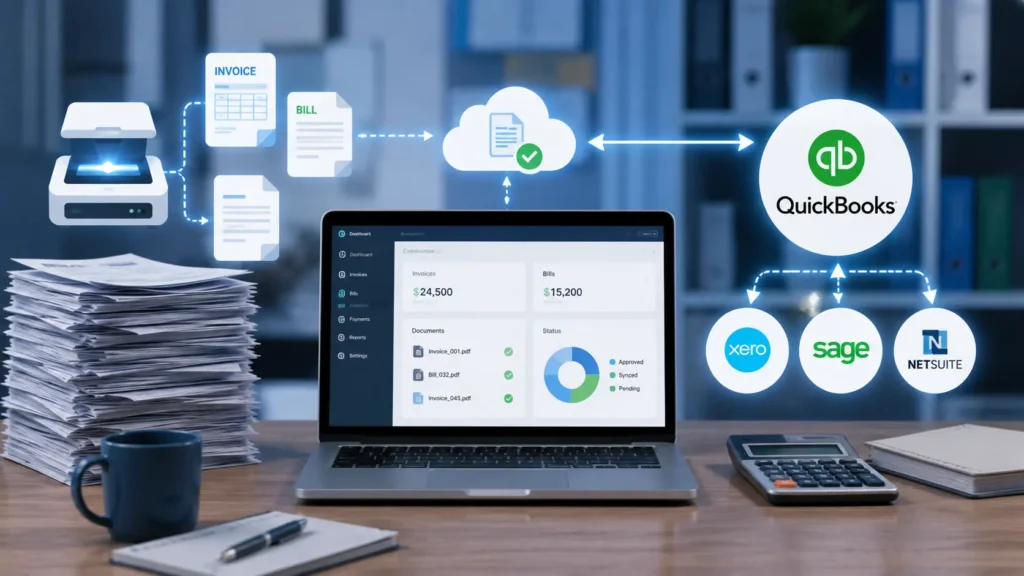
Most businesses don’t want to abandon their core accounting software just to automate AP and they shouldn’t have to. Good paperless AP platforms integrate directly with systems like QuickBooks Online, QuickBooks Desktop, Xero, Sage Intacct and NetSuite nor than replacing them.
This integration matters because it keeps your chart of accounts. Vendor list and payment history synced in one place. Once an invoice gets approved in the AP system. It flows straight into your accounting software without anyone re-keying a single line item.
Comparing Paper-Based AP vs. Paperless AP Software
|
Factor |
Paper-Based AP |
Paperless AP Software |
|
Invoice processing time |
Days per batch |
Hours per batch |
|
Error rate |
High, manual entry |
Low, automated matching |
|
Storage |
Physical filing cabinets |
Cloud-based, searchable |
|
Audit readiness |
Manual document pulling |
Instant digital audit trail |
|
Approval speed |
Email and in-person signatures |
Mobile and email approvals |
|
Scalability |
Requires more headcount |
Handles volume growth automatically |
This comparison makes the business case fairly obvious but the real value shows up in day to day operations rather than a spreadsheet. Businesses looking to improve financial accuracy often combine paperless AP with regular accounting audits.
Steps to Roll Out Accounts Payable Paperless Software
Switching an entire AP process over doesn’t happen overnight and rushing it usually backfires. A phased rollout keeps your team confidents and your vendors paid on time throughout the transition.
Start by mapping your currents process end to end. Note where invoices get stuck. Where approvals stall and how much time your team spends on manual matching each week.
Next set up a dedicated invoice inbox. So every vendor sends bills to one place instead of scattered individual email addresses. This single change alone makes automated capture far more reliable.
Then configure your approval workflows around real organizational structure, department budgets, spending thresholds and who actually needs to sign off on what. Overly complex workflows slow things down just as much as no workflow at all.
Finally run a parallel period where your team processes invoices both the old way and the new way for a few weeks. This catches configuration issues before you fully retire the manual process.
Common Mistakes Companies Make Going Paperless
A rushed rollout causes creates more problems than sticking with papers a little longer. Teams that skip proper training end up bypassing the system and reverting to email approvals out of habit.
Another frequent mistake is failing to set up tolerance levels for invoice matching. Without them, minor price variances that should auto approve instead get flagged and routed for manual review, defeating much of the automation’s purpose.
Ignoring vendor communication during the transition also creates friction. Suppliers need to know where to send invoices going forward or you’ll end up with bills arriving through three different channels at once.
Measuring ROI After Switching to Paperless AP
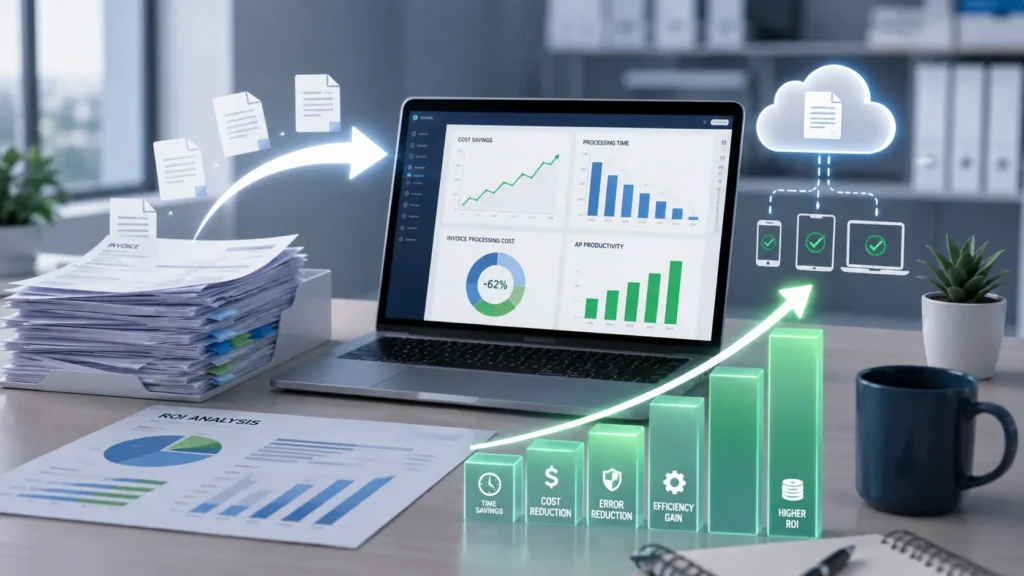
Tracking the right metrics after implementation tells you. Whether the switch is actually paying off. Processing time per invoice, error rate and the percentage of invoices requiring manual intervention are the three numbers worth watching closely in the first quarter.
Early payment discount capture is another underrated metric. Many companies miss these discounts simply because approvals move too slowly under a manual process and paperless systems. It tends to recover that lost value quickly.
Final Thoughts
Moving away from paper invoices hasn’t just about tidying up a filing cabinet. It’s about giving your finance team room to focus on strategy instead of data entry. Accounts payable paperless software pays for itself through faster processing, fewer errors and real time visibility into where every dollar has going. Companies that make this switch thoughtfully with proper training and a phased rollout. It tends to see these results within the first billing cycle.
FAQs
How much does accounts payable paperless software cost?
Pricing varies by providers and company size. Typically ranging from a few hundred to over a thousand dollars monthly depending on invoice volume, user count and feature tier. Most vendor offer scaled plans. So smaller teams aren’t paying for enterprise level capacity they don’t need.
Does paperless AP software work with QuickBooks?
Yes most reputable paperless AP platforms integrate directly with both QuickBooks Online and QuickBooks Desktop. This syncs vendor data, chart of accounts and payment status automatically. So you don’t need to manually transfer information between systems.
How long does it take to implement paperless AP software?
Most mid sized companies complete implementation within two to four weeks. It depending on how many integrations and custom approval workflows are needed. A phased rollout with a parallel testing period typically works better than switching everything over at once.
Is paperless accounts payable software secure?
Reputable platforms use encryption for data storage and transfer. Plus role based access controls that limit who can view or approve invoices. Detailed audit trails also track every action. Which helps with both security and compliance during external audits.